
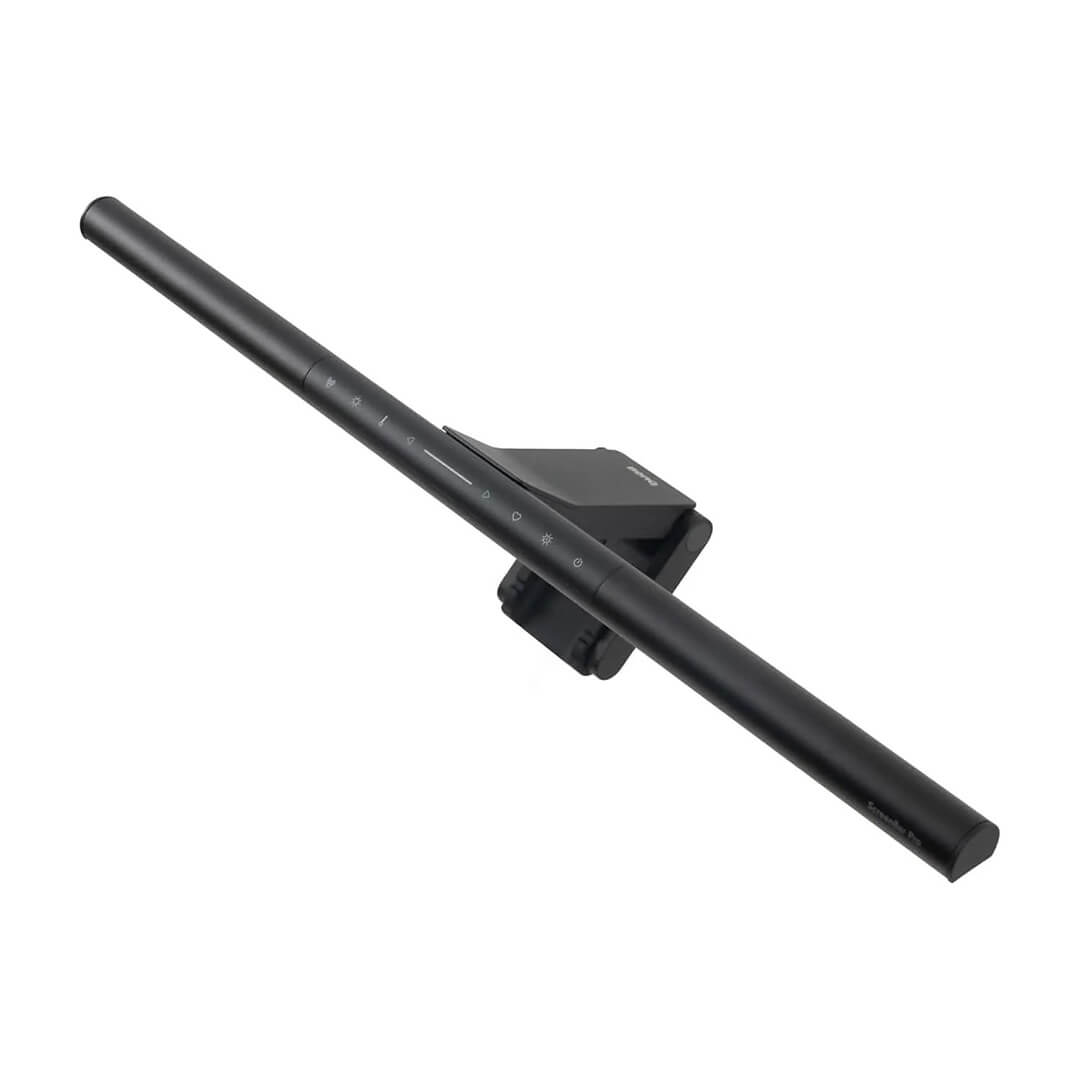





Designed for Comfort, Built for Focus
Experience uniform, glare-free lighting tailored to your comfort. BenQ ScreenBar Pro Monitor Light eliminates glare, evenly distributes light, and reduces eye strain, keeping you focused all day.
Asymmetrical Optics
Zero Glare
This minimizes eye strain and enhances visual comfort, allowing you to focus better without frequent adjustments.
Universal Clamp for
ALL Monitors
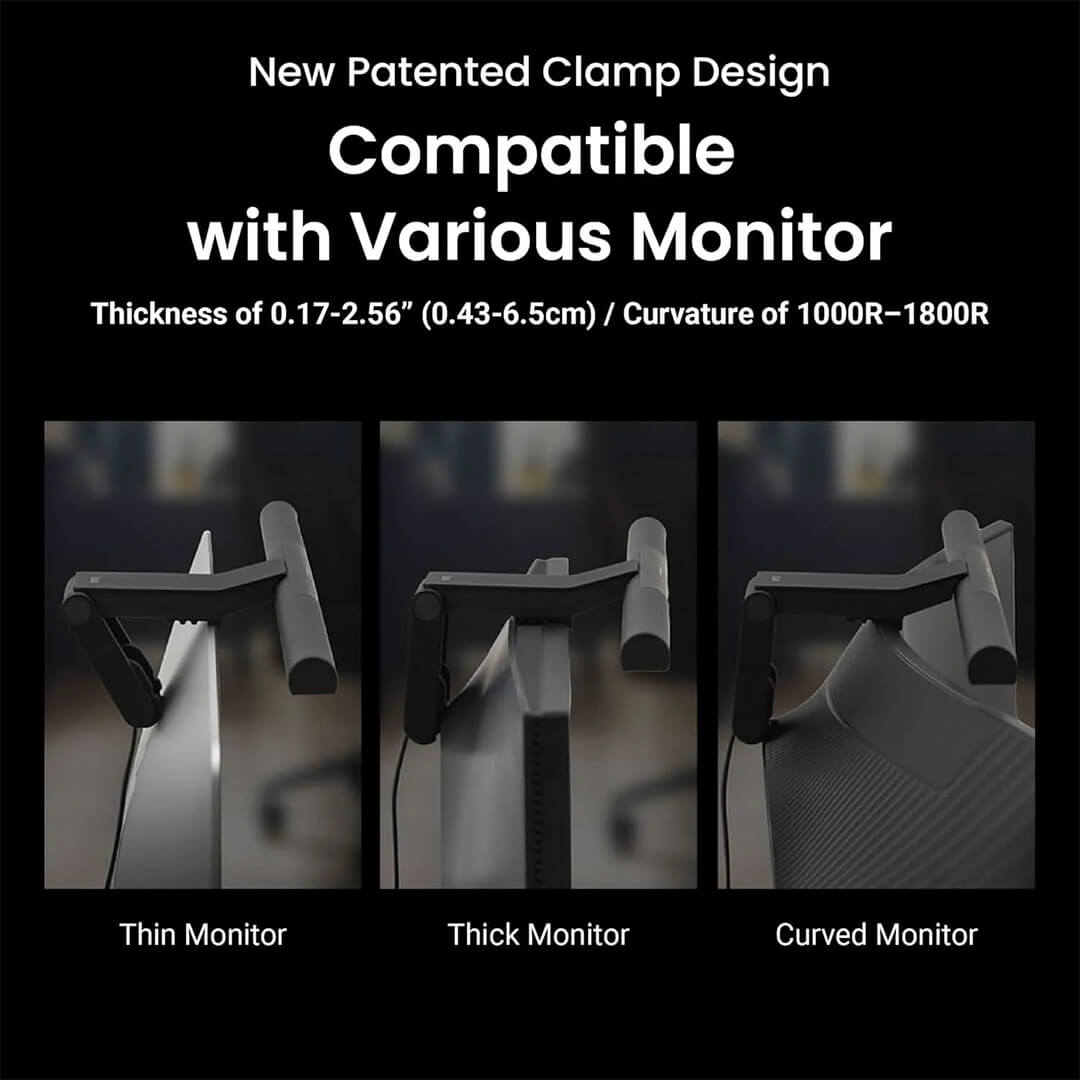
Securely fits almost any monitor, including curved models, protecting your monitor while maintaining a sleek appearance.
Precise Illumination
Provides 500 lux of even lighting across an 85 x 50 cm area, illuminating your keyboard and workspace without causing light spillage onto your screen.
This reduces eye strain and prevents contrast glare, ensuring long-lasting comfort during extended use.
Precision lighting, even at its lowest level.
Engineered with advanced LED driving technology, ScreenBar® Pro delivers low minimum brightness with flicker-free illumination for consistent comfort in any lighting condition.
Zero Glare
Directs light precisely onto your desk, effectively eliminating screen reflections and direct glare.
This minimizes eye strain and enhances visual comfort, allowing you to focus better without frequent adjustments.
Actual Luminance Measurement
If the monitor light reflects onto the screen, the machine will measure the brightness in nits. The higher the nits, the more reflection present.
The Nits data represents the average value measured approximately 10 cm from the top edge of the screen to the center.
New Patented Clamp Design
Secure Attachment
The unique structural design of the clamp’s rear foot allows it to securely attach to monitors with a bulge on the back, preventing any obstruction to the lifting bracket.
New Patented Clamp Design
Unblocked Camera Lens
The front edge of the clamp is precisely designed to not obstruct the camera lens while being compatible with ultra-narrow bezel monitors.
New Patented Clamp Design
Flexible Mounting
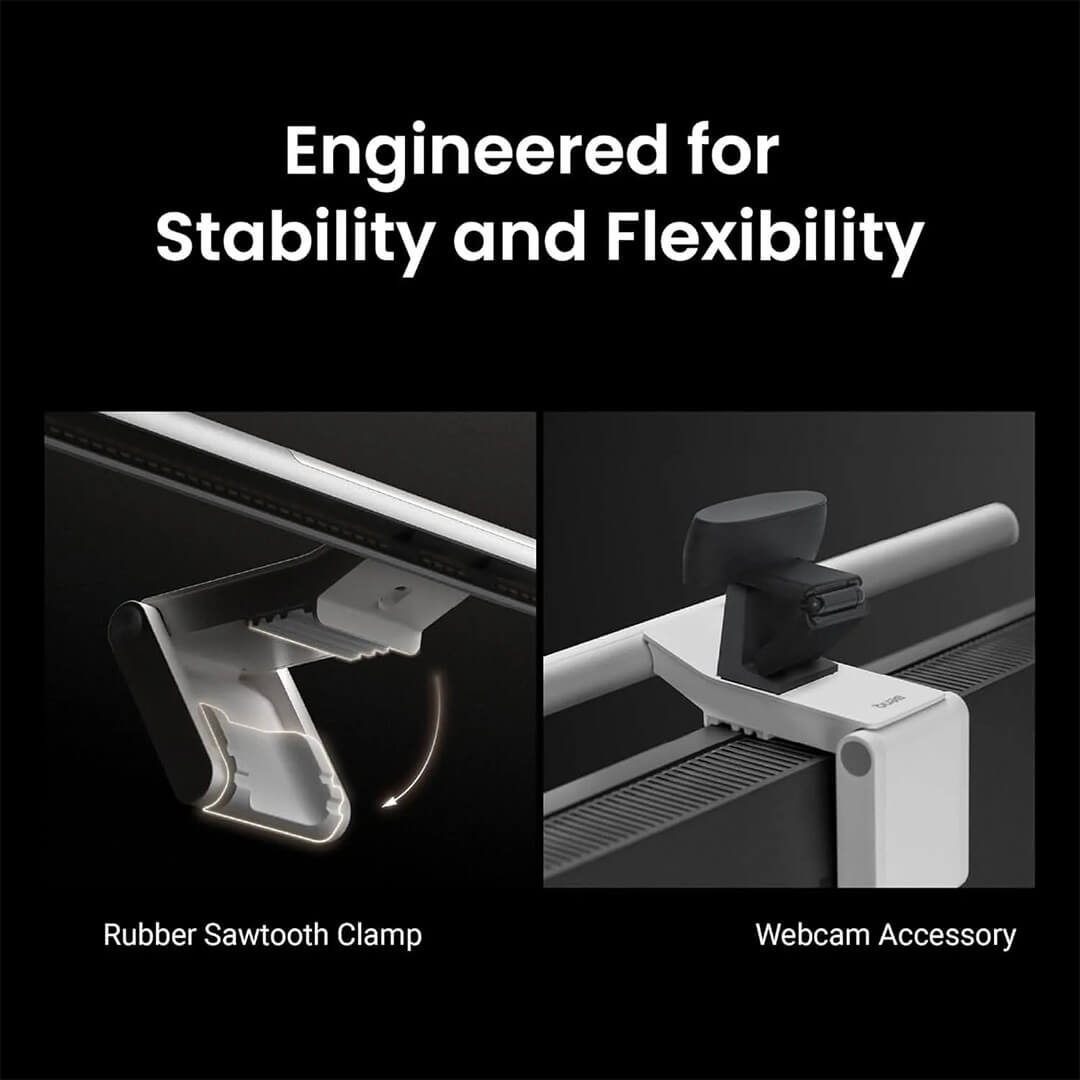
The top of the clamp features an asymmetrical sawtooth design for easy mounting onto non-flat structures above the monitor, avoiding interference with the microphone/speaker at the top of the screen.
A Warm Welcome to Your Space
Automatic Lights On as You Sit
Using Time-of-Flight (ToF) principle, similar to self-driving cars, ScreenBar Pro’s ultrasonic sensor detects moving objects within a 60±10 cm diameter range in front of the screen, providing a welcoming experience with each seating.
Detection Range
Automatic Lights On as You Sit
With its ultrasonic sensor positioned 50cm (19.7”) above the desktop, it detects 60±10 cm (23.6±3.9”) in front of the screen. Its conical detection shape has a limited range to avoid unnecessary light activation, e.g., from users walking by.
Save Energy, Save the Earth
Automatic Lights Off as You Leave
ScreenBar Pro automatically turns off after five minutes of absence, not only saving valuable energy but also adding a thoughtful touch to your daily routine.
“Over 800,000 BenQ ScreenBar users worldwide”
Since 2017, the pioneering ScreenBar was introduced by BenQ, and we are proud to have helped over 800,000 workspaces protect their eyes, promote productivity, and increase work enjoyment. Discover how we’ve made a difference:
Adjustable Color Temperature and Brightness
Research suggests a cool color temperature of 6,500K improves focus, a neutral color temperature ranging from 4,900 to 6,500K provides comfort for eyes, and a warm color temperature of 2,700 to 3,000K enhances relaxation during reading and facilitates better rest afterwards.
ScreenBar Pro features 16 levels of brightness and 8 color temperature settings that comply with ANSI standards, allowing you to adjust based on different scenarios or moods.
Full-spectrum LED Chip with Rf>96 and Rg close to 100
With a color spectrum closer to sunlight, ScreenBar Pro’s full-spectrum chips exceed CRI color rendering standards, accurately reproducing true colors of objects and enhancing color rendering and accuracy for superior performance.
Rf and Rg: Key Indicators of Color Quality
CRI, defined in 1995, uses 8 color samples (R1-R8) to determine color rendering. In contrast, Rf, introduced by the Illuminating Engineering Society in 2015, averages 99 samples (R1-R99). ScreenBar Pro achieves high color fidelity with Rf>96 and color saturation near Rg 100 across these 99 samples.
Real-time Auto Dimming
Still wondering how bright the lights should be to protect your eyes? ScreenBar Pro has you covered with just one click, providing the recommended working illuminance of 500 lx by American National Standards Institute (ANSI), reducing eye strain during extended use.
USB-C Port or 15W Power Adapter
ScreenBar Pro can be powered via USB-C port on the monitor or with the included adapter (power specification: 5V / 1.7A / 8.5W max.) for an optimal lighting experience
Our Resolute Commitment to Excellence
Every component of the ScreenBar Series undergoes thorough examination, ensuring its durability and reliability.
We subject it to rigorous testing conditions to confirm its resistance against bending or cracking.
Functional Elegance: Partnering with MINIMAL
Crafted by the American design company MINIMAL, ScreenBar Pro presents a calm and subtle beauty through its sleek metal design, honored with the 2023 Good Design Award (G-Mark) & LIT Lighting Design Awards.
3 Steps!
Effortless Setup for Immediate Benefits
Place on top of your monitor.
fitting 99% of monitors worldwide.
Connect the one-piece cable to a full-power USB-C.
Enjoy auto-on precision workspace lighting and excel.
Embracing Sustainability
Made from paper-based materials,ScreenBar Pro’s packaging eliminates the use of plastic and unnecessary components.
With a structural design, we replaced wasteful materials to create eco-friendly packaging. Be environmentally conscious with every purchase you make.
Available in Two Colors
Express your style with 2 different colors:
elegant black and vibrant silver.
BenQ ScreenBar Pro Monitor Light Bar
| Weight | 0.62 kg |
|---|
| Light Source | Dual Color LED |
|---|---|
| Color Rendering Index | Ra≥95 |
| Color Fidelity Index (Rf) | Rf≥96 |
| Illuminance | Center Illuminance > 1000lux (Height 50cm) |
| Lighting Coverage (At 500 Lux) | 85cm x 50cm |
| Product Color | Black, Silver |
| Materials | Aluminum alloy, PC / ABS, Polycarbonate, Zinc alloy |
| Accessory (Optional Accessory) | Webcam Accessory |
| Power Input | 5V / max.1.7A USB Type-C |
| Power Consumption | max.8.5W |
| Power Supply | USB Type-C |
| Dimensions (W x D x H cm) | 50 x 13.5 x 9.2 |
| Net Weight (kg) | 0.62 |
| Gross Weight (kg) | 1.4 |
| USB Cable Length | 180cm |
| Monitor Compatibility (thickness) | Flat / Curved : 0.43-6.5cm (0.17” – 2.56”) |
Based on 0 reviews
Be the first to review “BenQ ScreenBar Pro Monitor Light Bar”
You must be logged in to post a review.
There are no reviews yet.